


Rizo: AI Photo Video Maker
4.42.00 Reviews
App Specs
- Version
- 1.1.0
- Updated On
- License
- Free
- Downloads
- 10,000+
- Developer
- 8 square
- Categories
- Video Players & Editors
- Platform
- Android
Screenshots
 Analysis by AppCompare
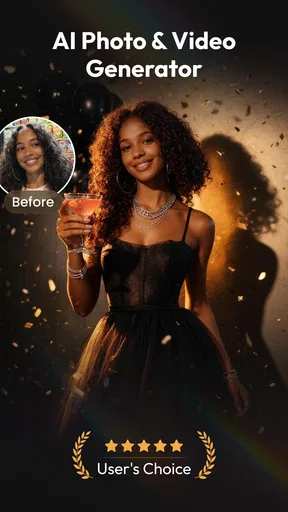
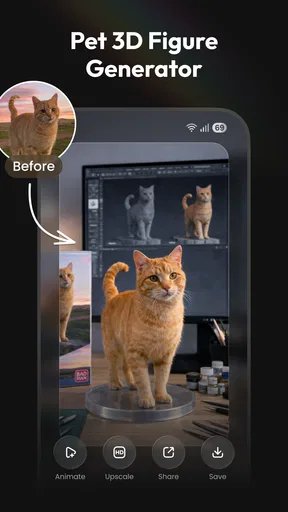
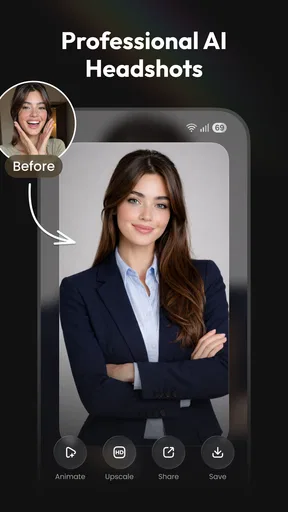
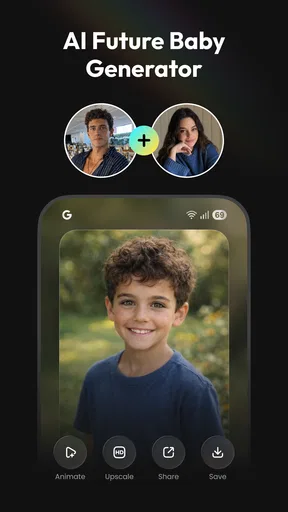
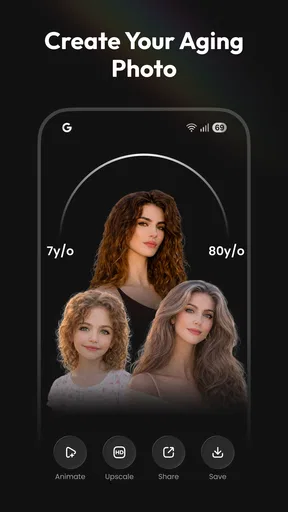
I approached Rizo: AI Photo Video Maker as a practical creative tool rather than a replacement for a full video editor. It sits in the video players and editors category, but its appeal is less about trimming clips frame by frame and more about turning ordinary images into AI-assisted visual content. The focus is on photo creation, photo-to-video work, AI dance concepts, portraits, and headshots. That makes it interesting for people who want a quick result without learning a complicated timeline.
My first impression is that Rizo is aimed at the moment when you have an idea but not much time. You may have a portrait that needs a more polished presentation, a still image that would work better as a short social post, or a character concept that could benefit from movement. Instead of opening a traditional editor and building everything manually, you start with an image and let the app handle much of the transformation. The main attraction is speed of experimentation, not detailed manual control.
The app is free to install, with optional purchases ranging from $4.99 to $39.99 per item. It is marked for Everyone, runs on Android 11 or later, and comes from 8 square. Its current version is 1.1.0, while the app was released on May 10, 2026. Those details matter because Rizo is still a relatively early product: I would treat it as a developing creative app, not as a mature editing suite with years of refinement behind it.
How Rizo feels in everyday use
I find Rizo most useful when a shared device turns a spare moment into a quick creative session: one person can bring a portrait or photo, explore an AI-led treatment, and decide together whether it suits the intended post. That casual starting point makes the app feel approachable, while also making it worth thinking about whose image is being used and who will review the result before it is shared.
A quick route from a still image to something shareable
The most useful way to think about Rizo is as an idea-to-result tool. Traditional mobile editors are excellent when I already know exactly what I want: cut a clip, add text, adjust the soundtrack, and export. Rizo makes more sense when I want to explore what an image could become. A simple portrait can be the starting point for a more stylized visual, while a static photo can become the basis for a short motion-focused creation.
That distinction changes how I would use it. I would not open the app expecting the same workflow as a professional editor. I would prepare a clean source image, choose the kind of transformation I want, and judge the result as a draft. If it works, I can use it as a finished social post or as material for another editing app. If it misses the mood, I can try a different source image or direction instead of spending a long time adjusting individual settings.
A realistic example would be a small business owner preparing a weekend post. They might have one product photo and no time to record a full promotional clip. Rizo can be useful at the concept stage: the owner can turn the still into a more dynamic visual, compare a few creative directions, and then decide whether the result is good enough to publish. If the business needs precise brand colors, exact product proportions, or carefully timed text, a conventional editor remains the safer final step.
Worth Reading Before You Choose

EA SPORTS FC Mobile 26 Is a Bigger Football Game, but It Takes Time

Flipboard Shows What News Apps Must Do Beyond the Feed

Switching to Android Auto Means Rethinking Your Driving Routine

Google Calendar Makes a Crowded Week Easier to Manage

Ludo King Makes the Most of the Minutes Between Plans

Baby Panda World Brings Quick Play to Modern Phones, but Its Game Library Feels Busy
Where the AI approach helps most
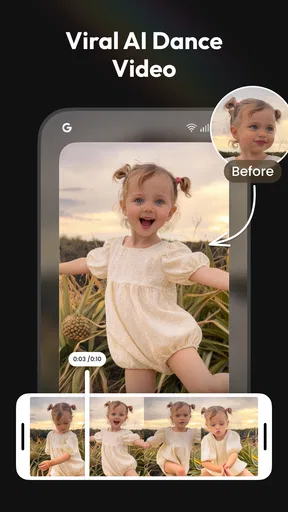
Rizo’s strongest use cases are the ones where visual novelty matters more than exact control. AI photo making can help when a standard snapshot feels flat. AI video generation is more appealing when a still image needs movement or a short-form presentation. The dance-oriented creation tools are naturally suited to playful posts, character experiments, and casual sharing rather than serious commercial production.
I also see value in the headshot direction. Someone applying for a community profile, updating a creator page, or refreshing a personal account may want a more polished portrait without arranging a formal photo session. The important trade-off is that an AI-enhanced headshot should still look like the person. I would compare the output closely with the original before using it for anything professional, because a polished image is not useful if facial details become noticeably unnatural.
One practical tip is to begin with a well-lit image that has a clear subject and limited background clutter. AI tools have more room to work when the person or object is easy to identify. A busy group photo, a face partly hidden by sunglasses, or a low-quality image can make the result less dependable. This is not a reason to avoid the app; it is a reason to treat the starting photo as part of the editing process.
Three workflows that make more sense than random experimentation
My preferred workflow would be to create a small set of source images before opening the generator. I would choose one close portrait, one wider image, and one image with a simple background. That gives me different options if the first result feels awkward. It also prevents the common mistake of judging the whole app from one unsuitable photo.
A second useful workflow is to separate creation from finishing. I would use Rizo for the AI transformation, then inspect the result for strange edges, inconsistent facial details, or movement that does not fit the subject. If the visual is promising but not ready to post, I would move it into a familiar editor for cropping, captions, sound, or final timing. This two-step approach is more realistic than expecting one app to do every job equally well.
The third workflow is to keep a purpose in mind before generating anything. For a profile image, natural proportions matter more than dramatic effects. For a playful dance clip, expressive movement may matter more than realism. For a product post, preserving the product’s shape is more important than adding visual excitement. The best result depends on matching the creative mode to the reason you are making the image or video.
What the current version tells me
Version 1.1.0 suggests a product that has already moved beyond its initial release, but it is still too early for me to assume that every workflow is equally polished. The release date is May 10, 2026, so the app’s development story is still at an early point. I would expect the experience to improve as the developer learns which creation types people use most, but I would not treat future improvements as present features.
For existing users, the current version is best approached as an active creative playground. If you already enjoy AI image and video experiments, the update position makes Rizo worth revisiting regularly. You may notice a smoother experience over time as the app develops, but the practical question today is whether its current creation style matches your needs. I would not install it solely because of what a later version might eventually add.
The app has an average rating of 4.4 from around three thousand ratings, and it has more than ten thousand installs. That gives me a useful sign of early interest, but not the same confidence I would have in a long-established editor used by a very large community. I read those numbers as encouragement to try it, not as proof that it will handle every device, image type, or creative request perfectly.
How it compares with ordinary editing apps
Compared with a standard mobile video editor, Rizo is more approachable when the starting point is a photo and the desired result is imaginative. Conventional editors offer predictable controls: I can decide exactly where a clip begins, how long a transition lasts, and where text appears. Rizo’s advantage is reducing the amount of manual work needed to produce an initial visual concept.
That convenience comes with a loss of precision. If I need a consistent sequence for a client, a carefully synchronized music edit, or a repeatable brand template, I would choose a traditional editor. Those apps are usually better when the creative decision is about timing and arrangement. Rizo is better when the creative decision is about transformation: what could this image look like as a different kind of visual?
It also differs from a basic photo editor. A photo editor is the better choice for controlled adjustments such as brightness, cropping, color correction, and blemish cleanup. Rizo’s purpose is more ambitious and less predictable. I would use it when ordinary corrections are not enough, but I would not replace a dependable photo editor with it for routine maintenance of a photo library.
Who will enjoy it, and who should skip it
I think Rizo is a good fit for casual creators, social media users, portrait enthusiasts, and anyone who likes testing visual ideas without building them from scratch. It may also help people who feel blocked by a blank editing timeline. Starting with one photo makes the process feel less demanding, especially when the goal is to create something playful rather than technically perfect.
It is less suitable for editors who want full control over every frame. I would also hesitate to recommend it as the only tool for professional headshots, regulated business communication, or product advertising where accuracy is essential. In those situations, AI-generated changes can create a mismatch between the image and reality. A photographer, a conventional retouching app, or a timeline editor may be the better choice.
Parents should still guide younger users even though the age classification is Everyone. The label makes the app broadly accessible, but creative tools can still produce results that need context and judgment. I would also encourage anyone using personal portraits to think carefully before uploading images into any AI creation workflow and to review the app’s current on-device prompts and account requirements directly during setup.
Costs, expectations, and the real trade-off
The free entry point is helpful because I can test the general idea before deciding whether it belongs in my regular toolkit. The optional purchases, from $4.99 to $39.99 per item, mean that the most appealing or frequent workflow may not remain entirely free. I would avoid buying anything immediately. First, I would test several source images, check whether the output quality suits my purpose, and see how often I would realistically use the feature.
This is especially important for people who only need one occasional headshot or one playful video. Paying for a specialized result may make sense if it solves a real problem, but it is harder to justify if a normal editor already handles the task. On the other hand, frequent creators may value the time saved by generating a starting point quickly. The right question is not simply whether the app is free to install; it is whether the saved effort is worth the optional purchase for your own workflow.
Small limitations that affect the final result
The biggest limitation of AI-assisted creation is the gap between an attractive preview and a dependable final asset. A result can look impressive at first glance while still containing details that become obvious when viewed full-screen. I would inspect faces, hands, hair, clothing edges, and object boundaries before sharing anything publicly. This extra check is essential for headshots and product images, where small errors are more noticeable.
Another limitation is consistency. If I need several images of the same person or character, I would not assume that every generation will preserve the exact appearance. That makes Rizo more comfortable for one-off posts than for a long campaign requiring a stable visual identity. A traditional photo session or carefully managed design workflow remains stronger when repeatability matters.
There is also a creative limitation: automated results can steer the look more than I expect. That can be exciting when I want surprise, but frustrating when I have a precise mental picture. My advice is to use the app for exploration first. If the outcome is close but not exact, treat it as a reference or draft rather than repeatedly forcing the tool to deliver a result it may not be designed to produce.
What I would watch as Rizo develops
Because the app is at version 1.1.0 and has a relatively early install base, I would pay attention to how the developer handles consistency across its different creation areas. The most meaningful progress would be improvements that make outputs more reliable, preserve identity and object details, and give users clearer control over the difference between a playful effect and a realistic result.
I would also watch how well the app serves people who want to move from an AI result into a finished video. The current concept is compelling for generating visual material, but a creator’s workflow does not end when the image appears. Better handoff options, clearer editing steps, and dependable export behavior would make the app more useful alongside traditional editors. Those are areas worth monitoring without assuming that a future update already includes them.
For now, I would judge Rizo on a simple test: choose three different photos with clear subjects, try the creation style that matches your goal, and inspect the results at the size where you plan to share them. If you enjoy the process and the outputs need only light finishing, the app can become a convenient source of fresh content. If you need exact timing, realistic identity preservation, or detailed manual correction, use it as an idea generator and keep a conventional editor in your toolkit.
My recommendation after using the concept in practice
Rizo: AI Photo Video Maker is most convincing as a fast, experimental companion for turning photos into more expressive content. I like the way its purpose is easy to understand: start with an image, explore an AI-led transformation, and decide whether the result deserves a place in your final post. That makes it friendlier than a complex editor when speed and curiosity are more important than control.
I would recommend trying it if you make casual social content, enjoy portrait experiments, or often wish a still image had more energy. I would not rely on it alone for professional production, exact brand work, or any image where factual accuracy is critical. Its free starting point lowers the risk of testing it, while the optional purchases make it sensible to evaluate your real usage before spending more.
Overall, I see Rizo as a promising early-stage creative app rather than a complete replacement for the usual photo and video tools. Its value comes from helping me get past the first creative hurdle quickly. When I use it with realistic expectations, a good source image, and a final quality check, it can produce ideas and shareable results that would take more effort to build manually.
Pros
- Turns photos into short AI-generated videos with minimal effort.
- Offers creative effects for social media posts and stories.
- Simple interface makes basic editing accessible to beginners.
- Supports quick previews before exporting the final creation.
- Provides templates that can speed up content creation.
Cons
- AI results can vary noticeably between different photos.
- Some advanced effects may require a subscription or credits.
- Processing times can increase for complex video effects.
- Export options may be limited compared with full video editors.
- Using the app may require an internet connection for AI processing.
FAQs for Rizo: AI Photo Video Maker
What is Rizo: AI Photo Video Maker used for?
Rizo: AI Photo Video Maker is designed for creating short, stylized videos and animated visuals from photos with the help of artificial intelligence. After testing its main workflow, I found it particularly useful for social media posts, profile content, greetings, and creative photo edits. The app focuses on quick results rather than professional timeline-based video production, so it is best suited to casual creators and beginners.
How does Rizo turn photos into AI videos?
The usual process involves selecting one or more images, choosing an available AI effect or animation style, and allowing the app to process the result. Depending on the template, the photo may receive motion, transitions, visual effects, or a more dramatic transformation. Processing time can vary according to the effect and server demand. A stable internet connection is generally recommended for the smoothest experience.
Is Rizo: AI Photo Video Maker free to download and use?
Rizo can generally be downloaded without an upfront purchase, but some features, effects, templates, exports, or premium tools may require in-app purchases or a subscription. Before confirming a trial or paid plan, check the pricing screen carefully, including renewal terms. Free users may also encounter advertisements or limitations on how often certain AI features can be used.
Does Rizo add a watermark to exported videos?
Watermark and export restrictions can depend on the selected template, account type, and current app version. Some AI creation apps reserve watermark-free downloads, higher-quality exports, or additional formats for premium subscribers. I recommend creating a short test project before investing significant time in an edit. Also review the export preview, because effects, cropping, and resolution may differ from the original photo.
Is Rizo safe for uploading personal photos?
Before uploading private or sensitive images, users should review Rizo’s privacy policy, permissions, and terms of service in the official app listing. AI processing may require photos to be sent to remote servers, and retention or deletion practices can vary. Avoid uploading documents, confidential images, or pictures of other people without permission. Only grant access to the photos and device features that the app genuinely needs.


